Choosing the right backend-as-a-service (BaaS) can save you countless hours of development and let you focus on what actually matters: building. But with so many options out there, which one should you pick?
In this post, I'll compare Firebase, Supabase, and Pocketbase across four essential criteria. Whether you're building an MVP, launching a side project, or just exploring your options, this quick breakdown will help you make the right call.
-
Installation & Setup – How quickly can you get your project running?
-
Developer Experience - How easy is it to work with the platform's tools and resources?
-
Features - How comprehensive are the platform's built-in capabilities?
-
Self-Hosting & Migration – Is self-hosting supported, and can you migrate away easily?
I'll assign a score from 0 to 5 for each category. Keep in mind — this is a highly subjective comparison based on my own experience as a developer.
Comparison
Firebase
Firebase, developed by Google and launched in 2012, is the most mature backend-as-a-service on this list. It offers a huge range of features out of the box, including real-time databases, authentication, cloud functions, analytics, and hosting. And because it runs on Google's infrastructure, you also get a platform that can scale with your application.
The main difference here is that Firebase uses a NoSQL database. While NoSQL databases have their use cases, in my opinion, SQL databases are a better choice for most applications.e
With around 2.5 million weekly downloads of its SDK on npm, Firebase is also the most popular option by a significant margin.
For comparison, Supabase sees around 1.7 million weekly downloads, while Pocketbase trails far behind at roughly 20,000.
So whether you're building a quick prototype or a production-grade application, Firebase has the ecosystem and infrastructure to support you.
Installation & Setup: Getting started with Firebase is fairly straightforward.
You create a project in the Firebase Console, enable the services you need, such as Firestore or Authentication, and integrate the SDK into your frontend or backend.
For a basic project, you can get up and running in just a few minutes.The setup is entirely web-based. There is some initial configuration involved, such as API keys and project IDs, but the process is mostly streamlined.
The main downside is the Firebase Console itself. Because Firebase offers so many different services, the interface can feel a little overwhelming when you're seeing it for the first time. There is simply a lot going on. Once you get familiar with the ecosystem, however, this becomes much less of an issue. Point: 4/5
Developer Experience: Firebase offers a polished and well-supported developer experience. Its SDKs are mature, stable, and easy to integrate. They cover a wide range of use cases, from authentication and database queries to cloud functions and analytics. The documentation is extensive and contains plenty of code examples for different platforms.
However, finding exactly what you're looking for can sometimes be frustrating. The amount of documentation can make it difficult to navigate, especially when you're dealing with a more specific use case.
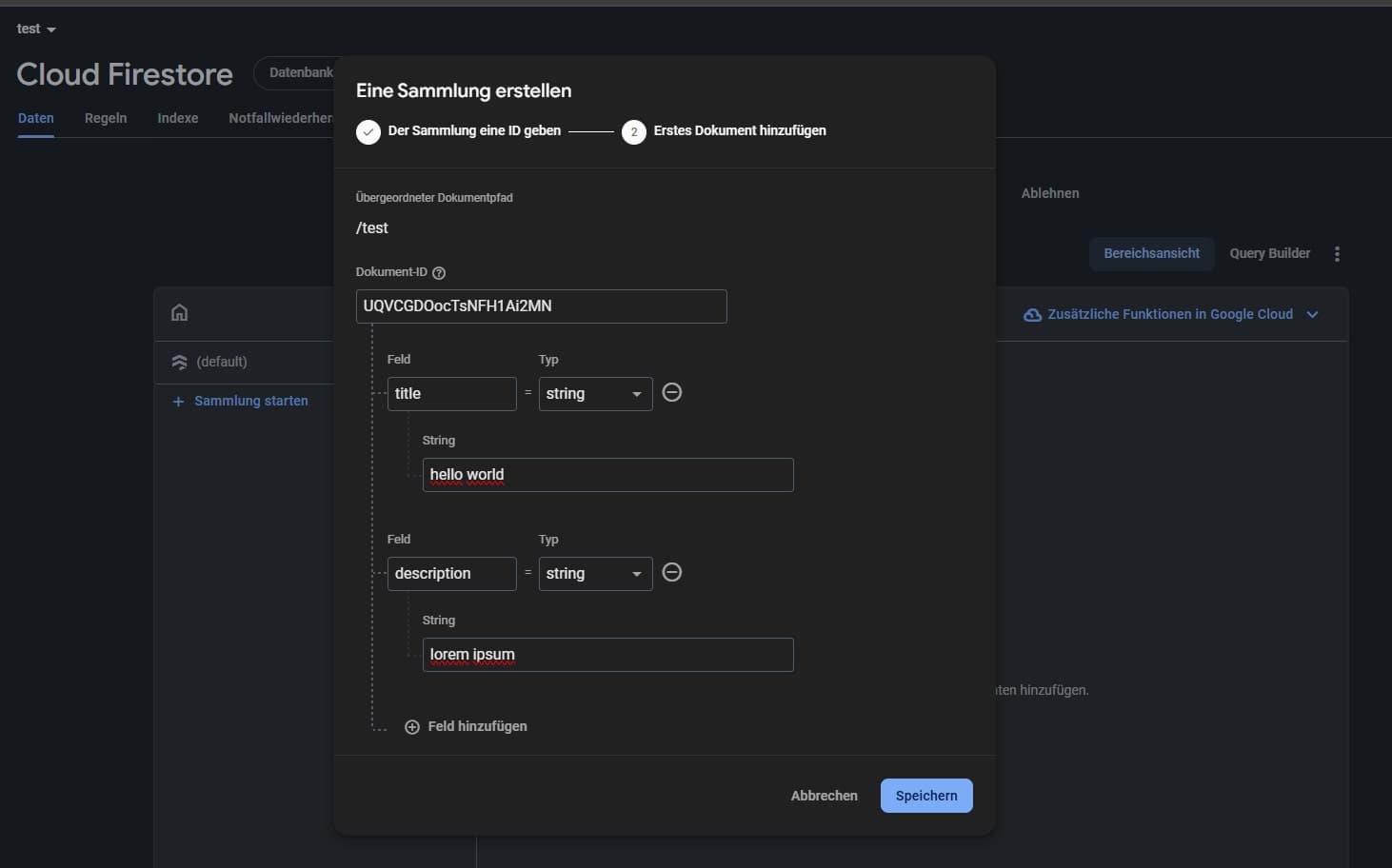
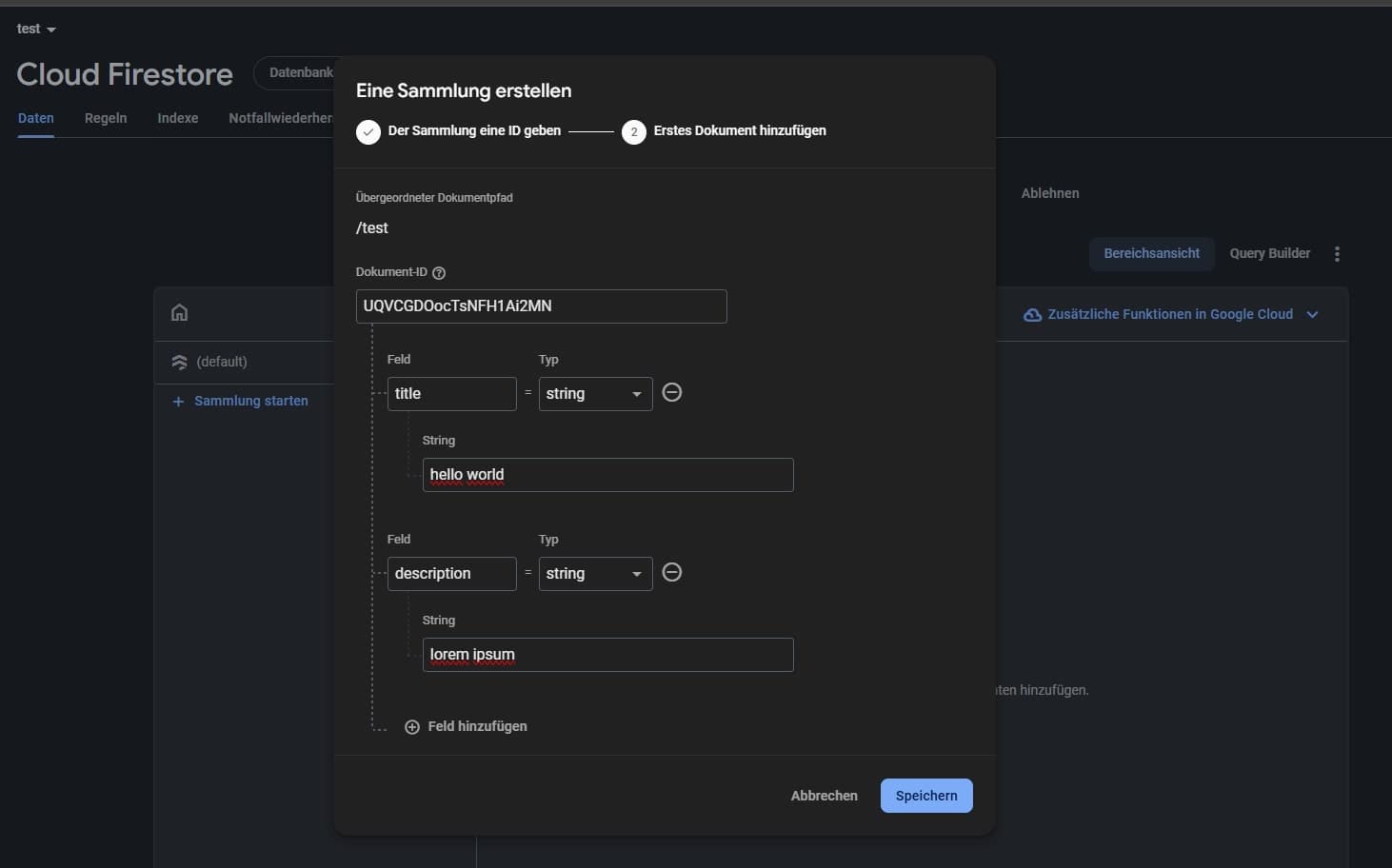
Firebase Dashboard Interface
A major plus is Firebase Auth, which is incredibly easy to set up and works out-of-the-box, saving you time compared to other platforms.
Given its broad feature set, Firebase can feel complex, particularly when dealing with advanced configurations. However, its mature ecosystem, massive community, and abundance of tutorials ensure plenty of resources and support. Point: 4/5
Features: This is where Firebase really shines. Firebase provides a comprehensive suite of services covering almost every aspect of modern application development. You get Firestore and Realtime Database for data storage, Authentication for user management, Cloud Functions for backend logic, Notifications, Analytics, Hosting, and much more. For many applications, you can build almost your entire backend without managing a server yourself.
Most of the core functionality is available on the free plan. However, some services and usage levels require upgrading to the pay-as-you-go plan. Overall, Firebase provides a very complete and scalable backend solution. Point: 5/5
Self-Hosting & Migration: One of Firebase's strengths is its fully managed infrastructure, meaning developers don’t have to worry about server setup or maintenance. However, migrating from Firebase can be complex, as there are no direct, fully automated paths for complete migration. Vendor lock-in is significant, making it difficult to transition away from Firebase once you're deeply integrated into its ecosystem. Point: 1/5
Supabase
Supabase is an open-source backend-as-a-service that positions itself as the open alternative to Firebase.
Built on top of PostgreSQL, it offers a familiar SQL-based workflow with real-time capabilities, authentication, storage, and auto-generated APIs, all wrapped in a developer-friendly interface.
Launched in 2020, Supabase has quickly gained traction among developers who want the convenience of a BaaS withou being locked into a proprietary ecosystem.
Installation & Setup: Getting started with Supabase is quick and developer-friendly. You can create a project through the web dashboard in just a few clicks and the platform instantly provisions a PostgreSQL database along with Auth, Storage, and API access. The client libraries are easy to integrate, and most features work out of the box with minimal configuration.
Supabase also offers a wide range of templates and example projects, including popular stacks like Next.js and NestJS. These make it even easier to get started. Whether you're building a frontend or a full-stack application, there’s a good chance you'll find a starter kit that fits your stack. Point: 4/5
Developer Experience: Supabase delivers a smooth and modern developer experience.
The dashboard is clean and well structured, while the built-in SQL editor makes working with the database particularly convenient. Real-time logs also make debugging and monitoring straightforward.
The platform feels especially familiar if you're already comfortable with relational databases. Most features are also available directly through the dashboard, so you rarely have to jump between different tools. From a UI perspective, I find Supabase better structured and more intuitive than Firebase.
It comes close to Pocketbase in terms of simplicity, while still offering significantly more advanced features and control through its Studio interface.
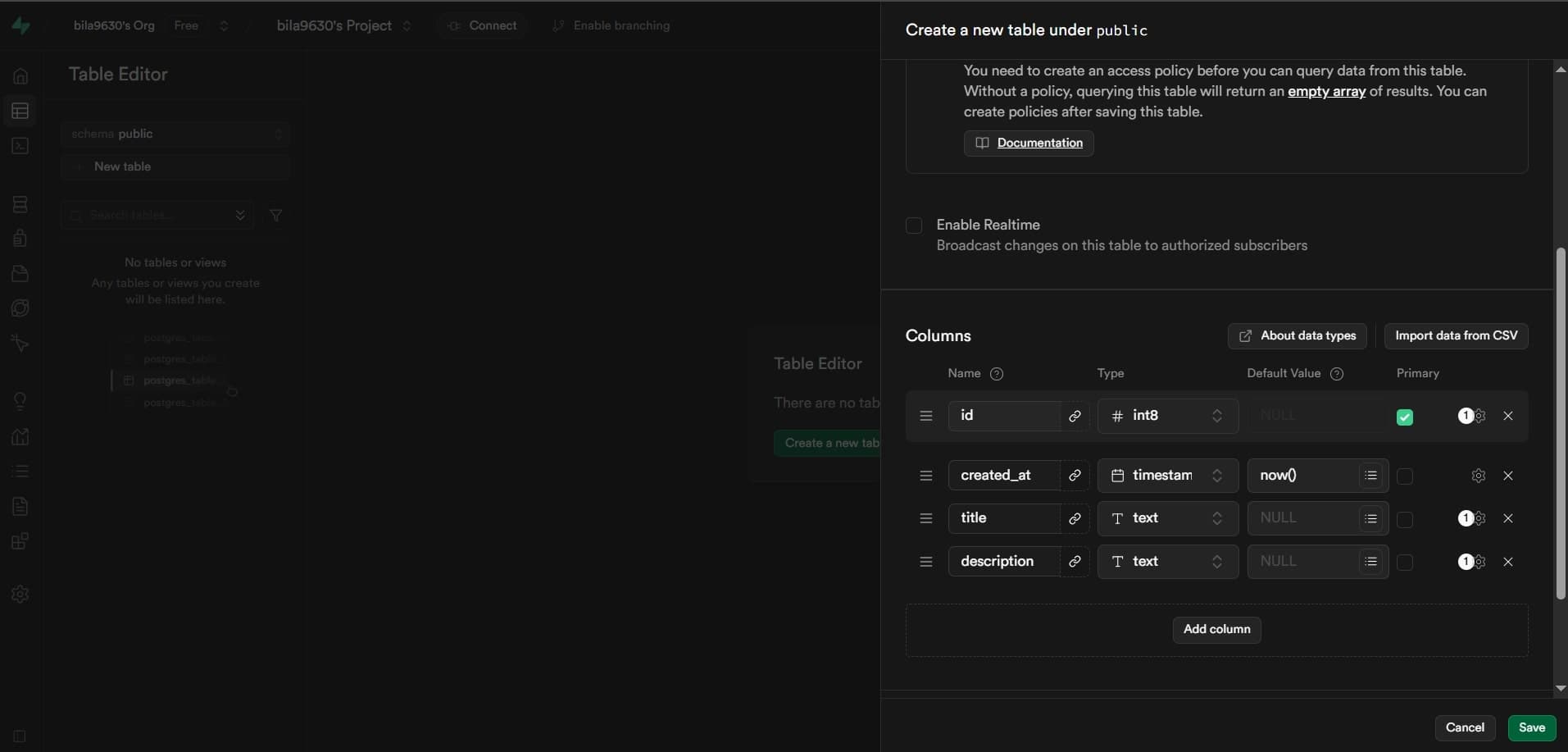
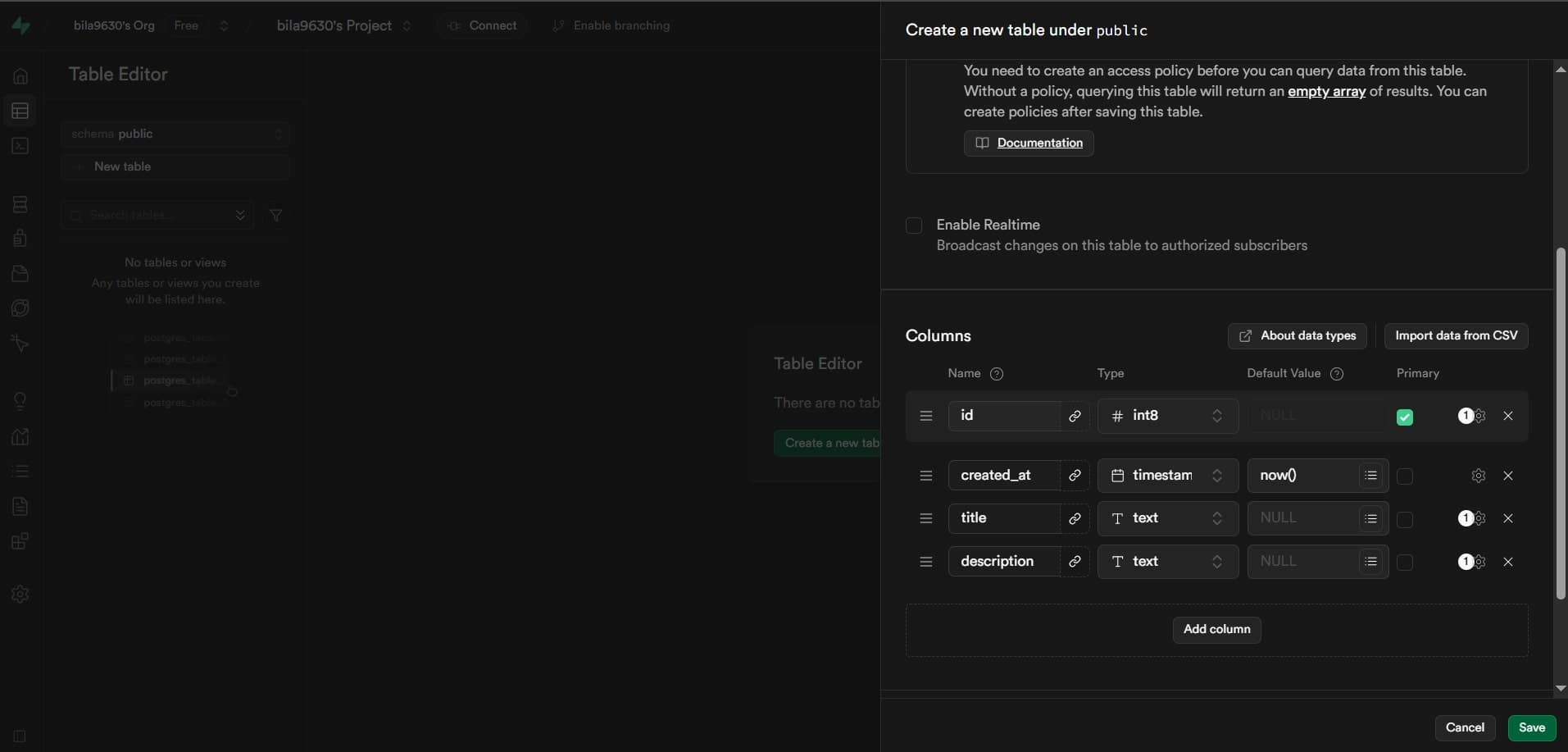
Supabase Dashboard Interface
The documentation is solid, and there's a growing ecosystem of tutorials, example projects and community resources — making it easy to learn and get up to speed, even for newcomers. Point: 4.5/5
Features: Supabase offers all the essential building blocks for modern app development: a PostgreSQL database, authentication, storage, real-time updates and edge functions for running server-side logic. It also supports integrations with third-party services like Auth0, BigQuery, and Stripe, allowing you to extend its capabilities easily.
Supabase supports multi-tenancy; however, implementing more complex tenancy models may still require manual setup and thoughtful architectural design.
While Supabase does include basic analytics, it’s not as broad or deeply i ntegrated as what Firebase offers. Overall, the core offering is strong and flexible but certain advanced features may require a bit more setup. Point: 4/5
Self-Hosting & Migration: Supabase promotes self-hosting, but in practice, it’s not as straightforward as it seems. While the core components are open-source, much of what powers their hosted platform is closed-source or tightly integrated into their internal tooling. Setting up a full self-hosted version is possible but requires considerable effort and infrastructure knowledge.
On the bright side, migrating from Supabase is simple. Since it’s built on PostgreSQL, you can easily export your data using standard tools like pg_dump and restore it anywhere with pg_restore. This makes Supabase one of the most portable options in the BaaS space, giving you flexibility and peace of mind. Point: 2.5/5
Pocketbase
Pocketbase is a lightweight, open-source backend written in Go. It is designed to run locally or as a single binary on your server.
Despite its small footprint, it comes with everything you need to get started: a built-in SQLite database, real-time capabilities, file storage, user authentication, and an admin UI.
And the best part?
It's all bundled into a single executable.
Installation & Setup: Getting started with Pocketbase is incredibly simple.
All you need to do is download a single binary from the official releases page, run ./pocketbase serve, and you're ready to go. That's it.
Pocketbase immediately starts an API and admin dashboard at http://127.0.0.1:8090/_/. From there, you can manage collections, users, files, and other parts of your backend directly from the built-in UI.
There is no database server to configure.
There are no dependencies to install.
There is no complicated infrastructure setup.
Pocketbase itself does not offer a hosted solution. However, if you don't want to manage the server yourself, services like PocketHost or Fly.io make deployment relatively painless. I personally had a great experience with PocketHost. It used to offer a free tier, but at the time of writing, the service costs $5/month. Point: 4/5
Developer Experience: Pocketbase offers a clean and intuitive admin dashboard out of the box, making it super easy to manage collections, users, and files.
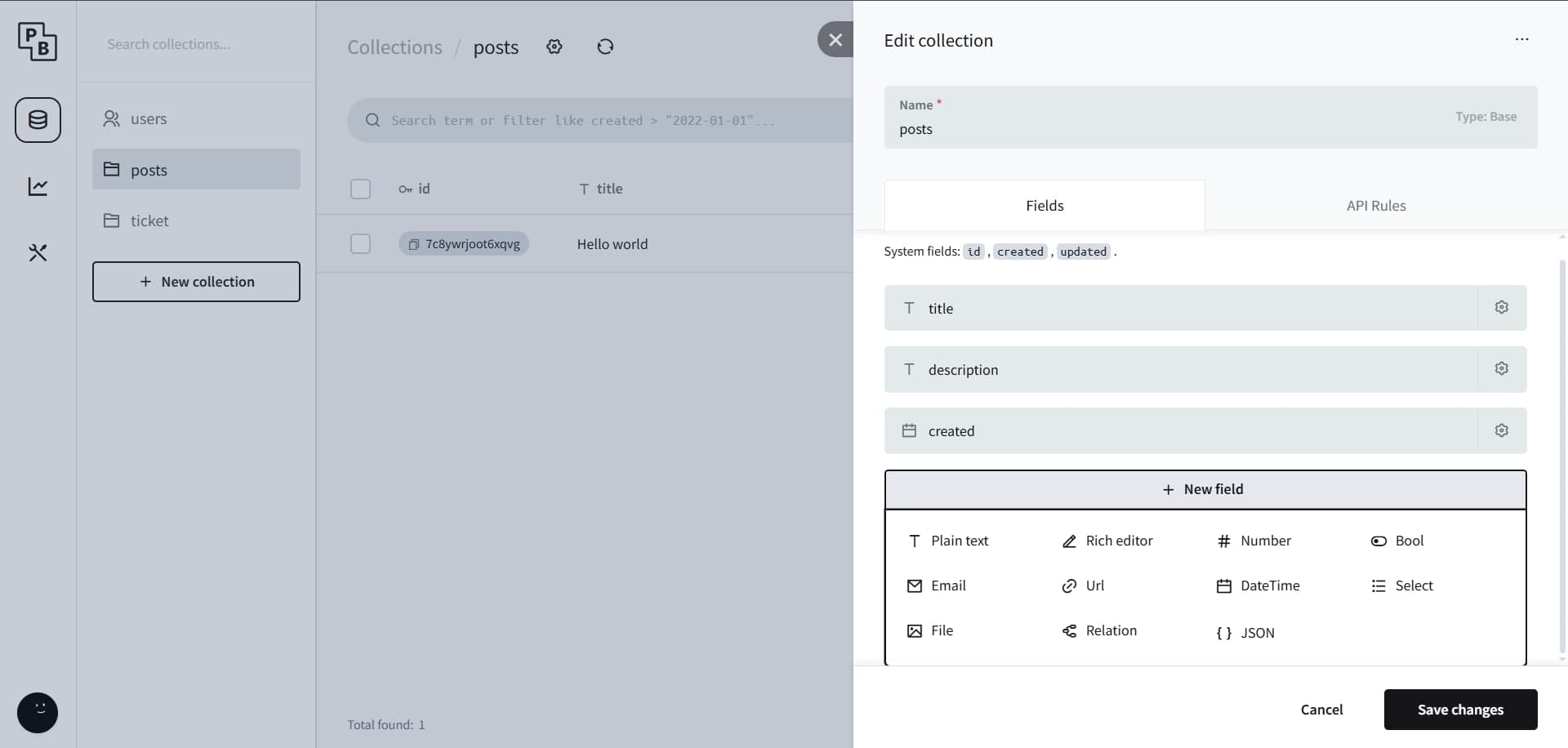
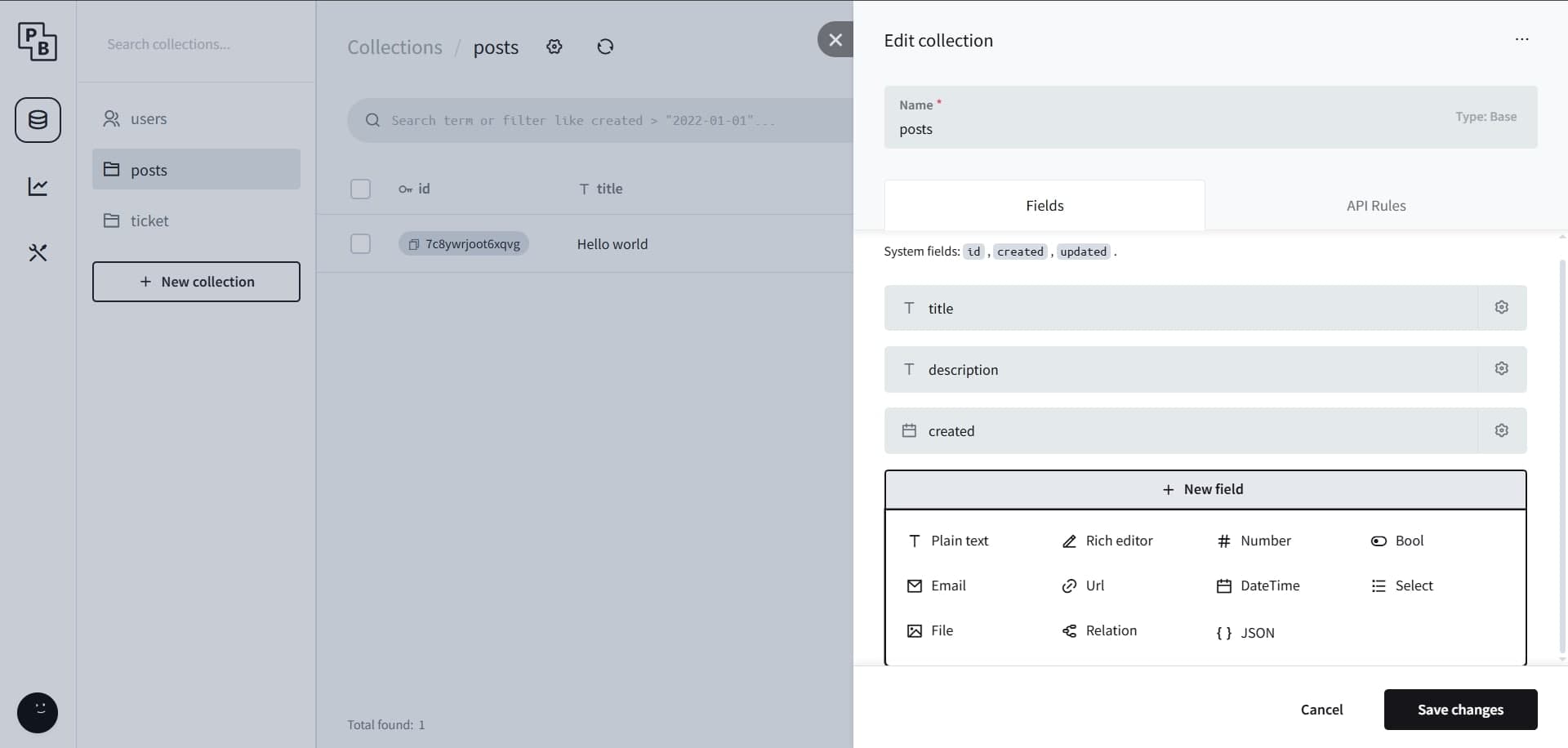
Pocketbase Dashboard Interface
The REST API and SDK are also, in my opinion, the easiest to use out of all three BaaS platforms.
They're simple, consistent, and quick to work with.
For example, creating a new record is as simple as this:
import PocketBase from 'pocketbase';

const pb = new PocketBase('https://test.pockethost.io');

...

// example create data
const data = {
    "title": "test",
    "description": "test",
};

// add data to table posts
const record = await pb.collection('posts').create(data);
That's pretty much all you need.
Another standout feature is object storage. Setting up file storage with Pocketbase is incredibly straightforward and, in my experience, feels much more seamless than the equivalent setup with Firebase or Supabase.
The documentation is decent, but it can feel a little thin in some areas. The community is also still relatively small compared to Firebase and Supabase. As a result, there are fewer tutorials, examples, and community resources available, especially if you're just getting started.
Authentication is another area where the experience could be better. From my experience, setting up email and password authentication can require some additional effort, and the documentation isn't particularly detailed in this area. OAuth, however, is supported out of the box.
Overall, Pocketbase offers an excellent developer experience if you value simplicity and are comfortable figuring things out on your own. It's lightweight, easy to understand, and gets out of your way. Point: 4.5/5
Features: Pocketbase comes with a solid set of built-in features. You get user authentication, real-time updates through WebSockets, file storage, and a simple but effective admin dashboard.
Under the hood, Pocketbase uses SQLite.
This gives you a structured relational database while exposing it through a collection-based interface that feels approachable, even if you're not deeply familiar with SQL. For smaller applications, this covers most of the essentials.
However, Pocketbase is still considerably more minimal than Firebase or Supabase. For example, you cannot insert multiple rows in a single operation. It also lacks role-level security at the database level. While you can define rules for who can access and modify your data, the permission system is not as fine-grained as what you get with PostgreSQL and Supabase.
Another limitation is scalability. Pocketbase currently scales vertically. That means that as your application grows, you generally need to move to a more powerful server rather than distributing the workload across multiple servers. For many small projects, this won't be a problem. But for applications expecting significant traffic or rapid growth, it's something you should keep in mind. Point: 2.5/5
Self-Hosting & Migration: This is where Pocketbase really stands out. Self-hosting is incredibly simple thanks to its single-binary architecture.
There is no complex infrastructure to manage. Just run the binary on your server and your backend is ready to go. Migration is similarly straightforward. Your data is stored in a local SQLite database, making it easy to back up, move, or inspect.
Moving to another platform is also relatively painless compared to more tightly coupled BaaS solutions. There is much less vendor lock-in, which gives you a lot of flexibility as your project evolves. Point: 5/5
Additional Notes: Pocketbase is still in beta and is maintained by a solo developer. The project does not currently accept donations, pull requests, or sponsorships. Despite being in beta for over two years, there is still a significant amount of work on the roadmap before reaching version 1.0.
This doesn't necessarily make Pocketbase a bad choice. However, it does introduce some uncertainty, especially if you're considering it for a critical production application.
For personal projects, MVPs, and smaller applications, I think Pocketbase is still a very interesting option. Just make sure you're comfortable with the project's current maturity and its limitations.
Conclusion
Supabase and Firebase are both excellent options if you want a fully managed backend and are building a production-ready SaaS app. Supabase leans toward a SQL-based workflow and gives you more flexibility when it comes to data portability and self-hosting. Firebase, on the other hand, offers a richer ecosystem of built-in features like analytics, crash reporting, and tight integration with Google Cloud services. In this comparison, Supabase scored 15/20, just ahead of Firebase’s 14/20, mainly because it offers much easier data migration if you ever need to move away from the platform.
Pocketbase is perfect for lightweight apps, prototypes, or internal tools where simplicity and speed are key. Personally, I’ve used it at hackathons and loved how quickly you can get up and running. Despite its smaller feature set, the developer experience is incredibly smooth, and for certain use cases, that’s all you really need. It scored the highest with 16/20, thanks to its ease of use and minimal setup.
In the end, all three platforms are valid and capable. Your choice depends on what you're building.
If you want something powerful and managed, go with Supabase or Firebase.
If you need something fast and lightweight, Pocketbase is a joy to work with.